
emOS · 2026

Project Eclipse.

How native app teams can adapt to the demo-first era.

2026-06 · Meng Li · Edge Mobile

"I don't read PRDs anymore. Show me the demo."

Sean — VP of Edge Product · AMA, 2026

He's right. PRDs are almost always flawed. Figma mockups only show the golden path. But an actual demo forces you to think through every edge case, every transition, every moment where the user might get lost.

§ 1 · The Catch

On the web, AI makes demos trivial.
On native, a demo costs as much as the feature itself.

Web teams adapted instantly — describe a feature, AI builds it, refresh the browser. But for mobile and desktop native apps? You're still setting up Xcode, resolving dependencies, waiting an hour for compilation, deploying to a device — only to discover the interaction feels wrong.

Native PMs are writing PRDs into a world that stopped reading them.

§ 1 · The Native Loop

Every idea has to survive this gauntlet before anyone can feel it.

Write the PRD3–5 days
Design review2–3 days
Engineering sprint1–2 weeks
Build & compile~1 hour
Deploy to device15–30 min
Discover it feels wrong5 min
Repeat from step 3
§ 1 · The Shadow

An eclipse is forming.

Web teams move at AI speed.
Native teams are falling behind.

The shadow is growing. PRDs get longer to justify the build time. Design review becomes a gate, not a conversation. The entire process selects for safe, incremental ideas — because nobody wants to burn a sprint on a demo that might not land.

The real cost is the ideas you never try.

What if native app PMs could build demos at web speed?

Not a Figma mockup. Not a screenshot. A real, interactive, tap-and-scroll experience — built in hours, not weeks. Give leadership what they actually want.

§ 2
02

The Solar Filter

We didn't make native builds faster. We moved experimentation to a place where AI already works.

§ 2 · The Spark

Two things clicked at the same time.
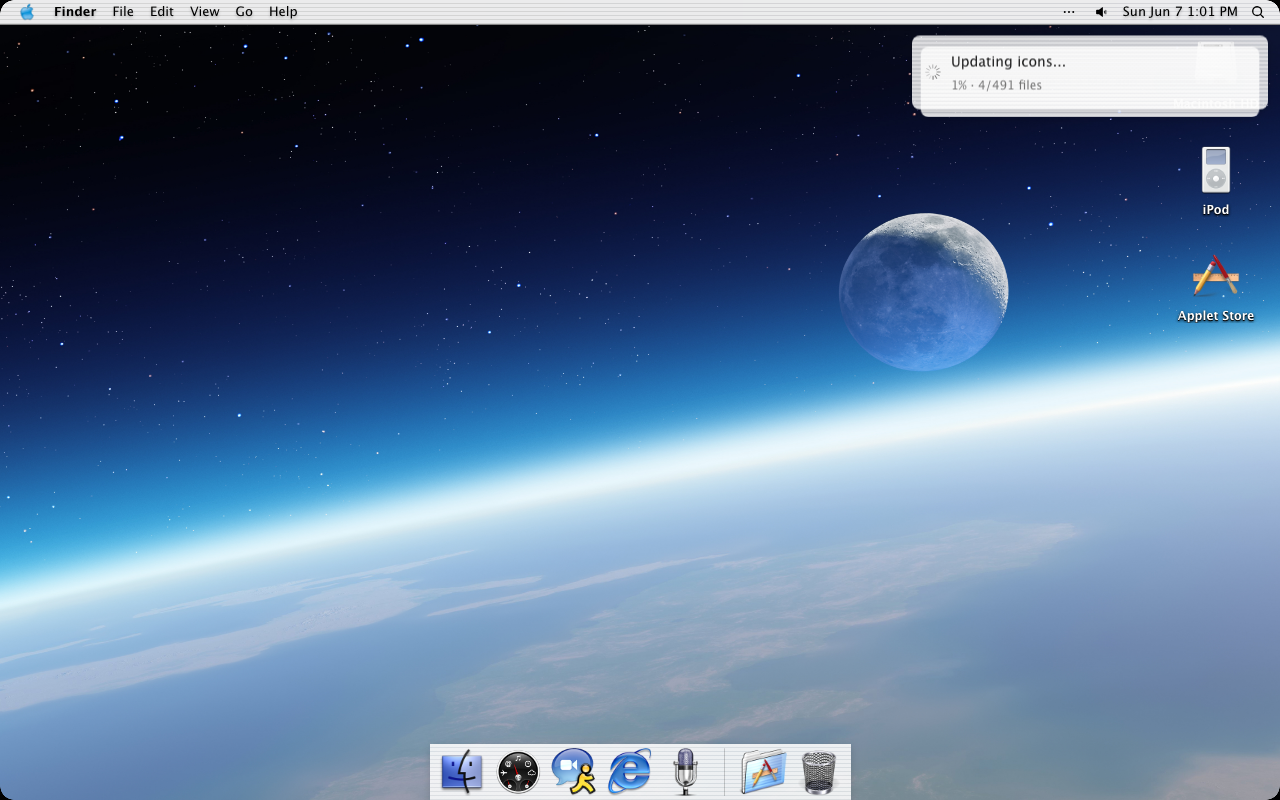
ryOS — a web-based operating system
Ryo Lu · ryOS
A full operating system running in a browser tab. File manager, terminal, media tools, AI assistant — all web. Proof that web fidelity had crossed a threshold.
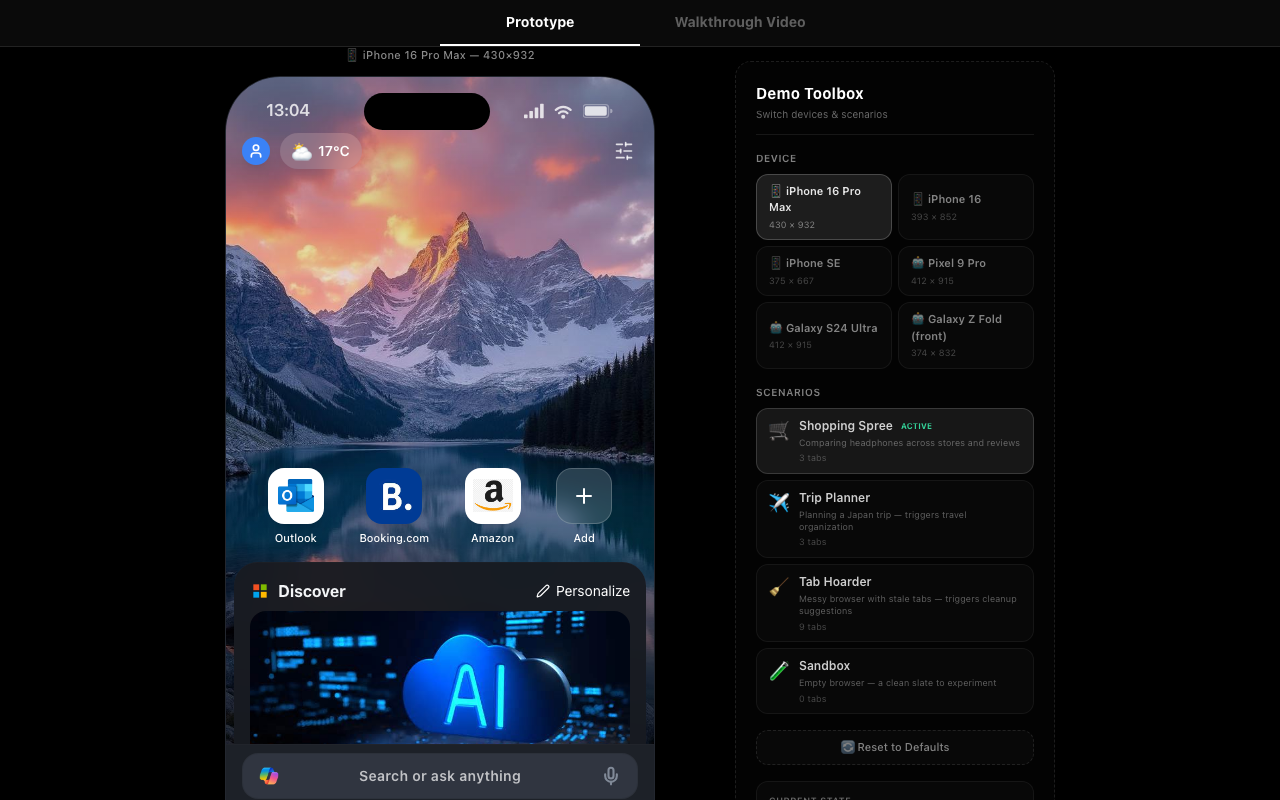
Tony Zhang's Edge demo prototype
Tony Zhang · edge-demo.info
A PM interview take-home that looked like the real Edge Mobile. Device previews, scenario presets, interactive NTP. One person, one weekend, production-grade fidelity.

By connecting these dots, the decision became obvious: ask Hongjun to create the first version of emOS.

§ 2 · What emOS Is

A complete interactive Edge Mobile experience.
Pure HTML / CSS / JS. No frameworks. No build step.

Connected Pages
NTP · Feed · Search · Browser · Tab Center · Copilot
Not isolated screens — a full product experience you can get lost in.
AI-Native Stack
AI reads and writes this code fluently
No framework quirks to hallucinate around. No build config to debug. The code is what the AI thinks it is.
Full Fidelity
Real touch events, real scrolling, real gestures
Put it on a phone and it feels like the product. Not Figma hot-zones — real interactions.
§ 2 · Live Demo
This is not a mockup.
What you see on the right is emOS — a fully interactive Edge Mobile prototype running in a phone frame. Every page is connected. Scroll the feed. Open a tab. Ask Copilot a question.
Users forget it's a prototype. That's the point — fidelity creates honest reactions.

§ 2 · From Prototype to Conviction

A Figma mockup shows you what a feature looks like.
emOS shows you what it feels like.

The difference between "looks good in review" and "I'd actually use this" is the difference between seeing and feeling. emOS closes that gap before any native code is written.

§ 3
03

The Story So Far

emOS started as one person's experiment. Then it became a platform.

§ 3.1 · The Foundation
One PM. One conversation.
Hongjun took a comprehensive approach — and built a complete Edge Mobile replica that totally blew our minds. NTP with wallpaper and top sites. A scrollable news feed. Search with live autosuggest. Full web navigation with back, forward, and tab management. Copilot with the unified composer.
All connected. All interactive. All built with Claude Code in weeks — not the months a native implementation would take. And Hongjun is a PM, not an engineer.
§ 3.2 · Design Joins
Then a designer picked up the code.
Xiaosong from the design team didn't file a request or hand off a Figma. He opened Claude Code and built the iPad version of emOS himself — extending the prototype to a new form factor.
No Xcode, no Swift, no build environment. This was the moment emOS became cross-functional.
§ 3.3 · PMs Take the Wheel
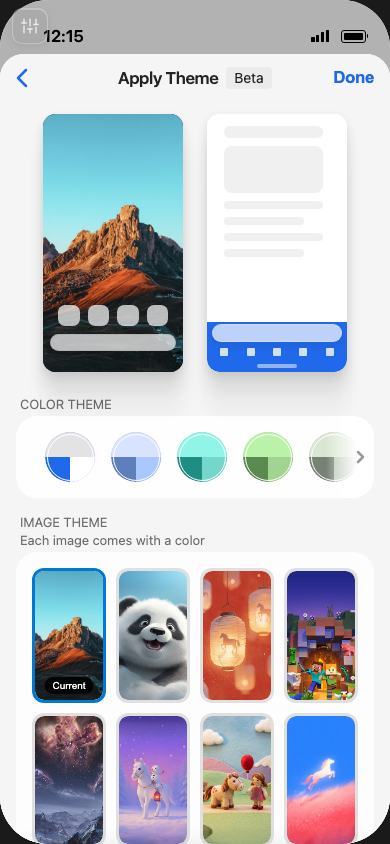
Xiaomeng
Appearance & layout
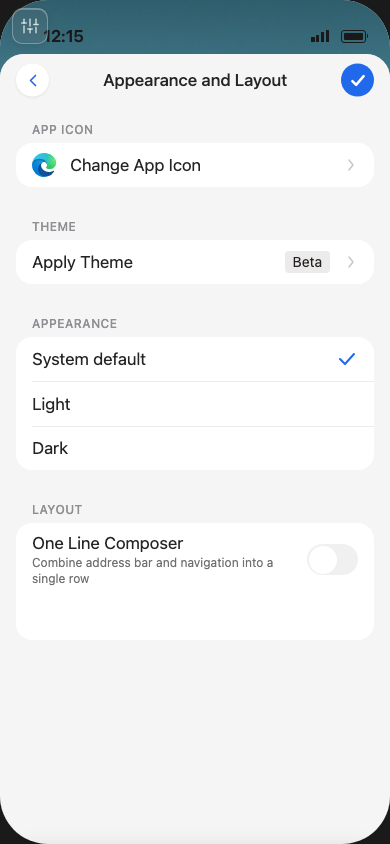
Shengjie
Voice input demo
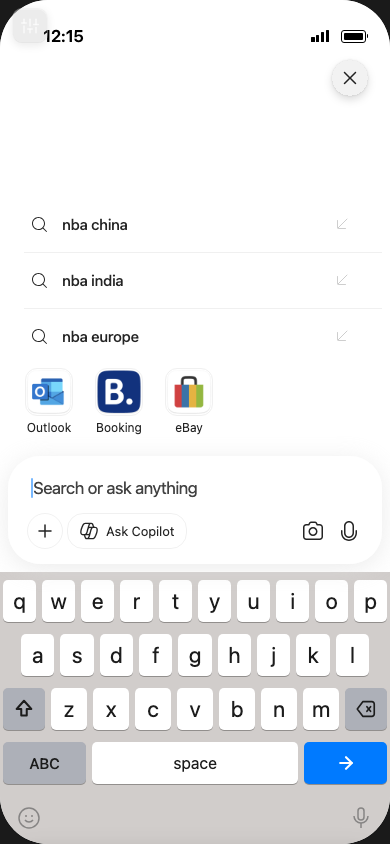
Marina
Theme hub mockup
§ 3.3 · Three Directions

Three ways to use emOS — all discovered by doing.

Direction 1
Complete Replica
Faithfully reproduce the native experience so users can test in a full product context — not isolated screens. Catch problems that only surface in connected flows.
Direction 2
Wild Ideas
Prototype bold concepts at near-zero cost. The ideas that would never survive a sprint planning meeting now take an afternoon. Let a hundred experiments bloom.
Direction 3
Pre-release Demo
Near-production fidelity to validate user flows before shipping. Catch the "this doesn't feel right" moment before you've committed a quarter of native engineering.
§ 3.4 · The Design Team Goes Further

Then the design team used emOS
to reimagine the product.
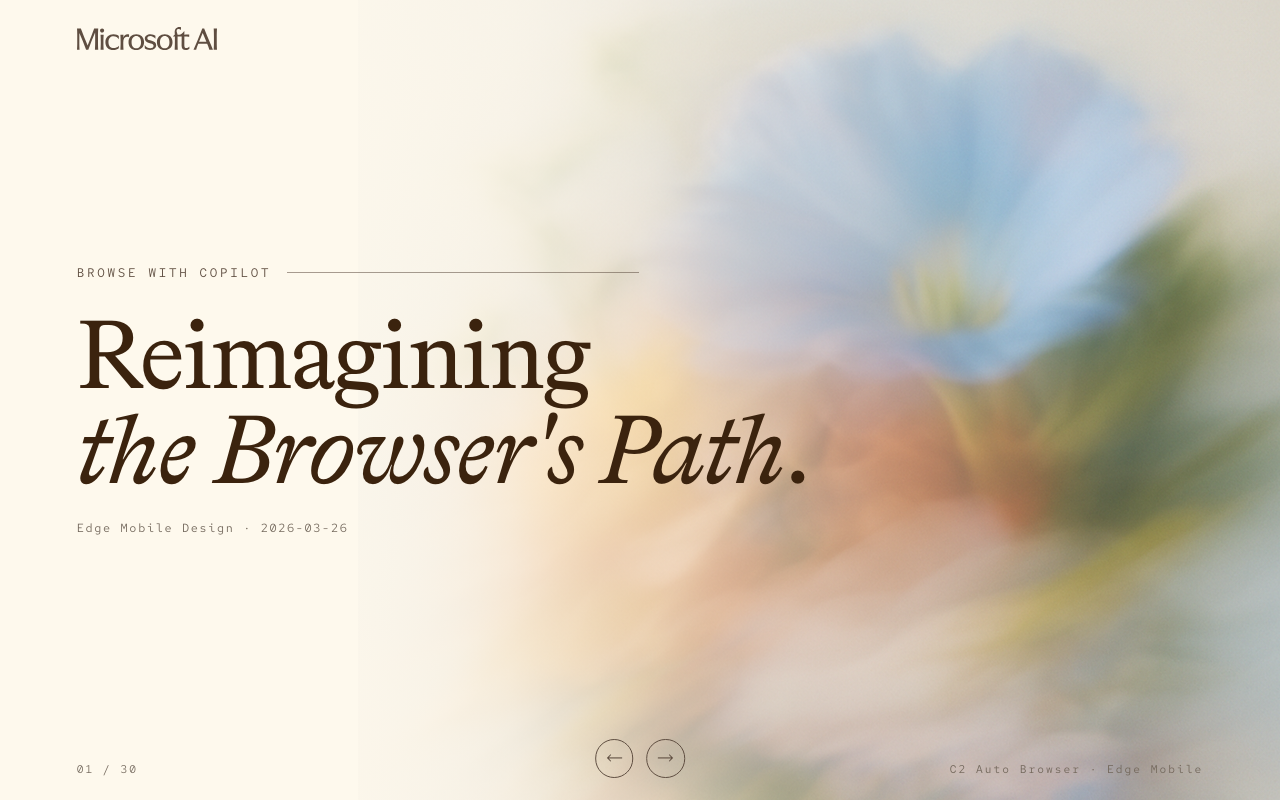
Browse with Copilot — cover
Reimagining the Browser's Path
Bold product vision, presented as an interactive experience.
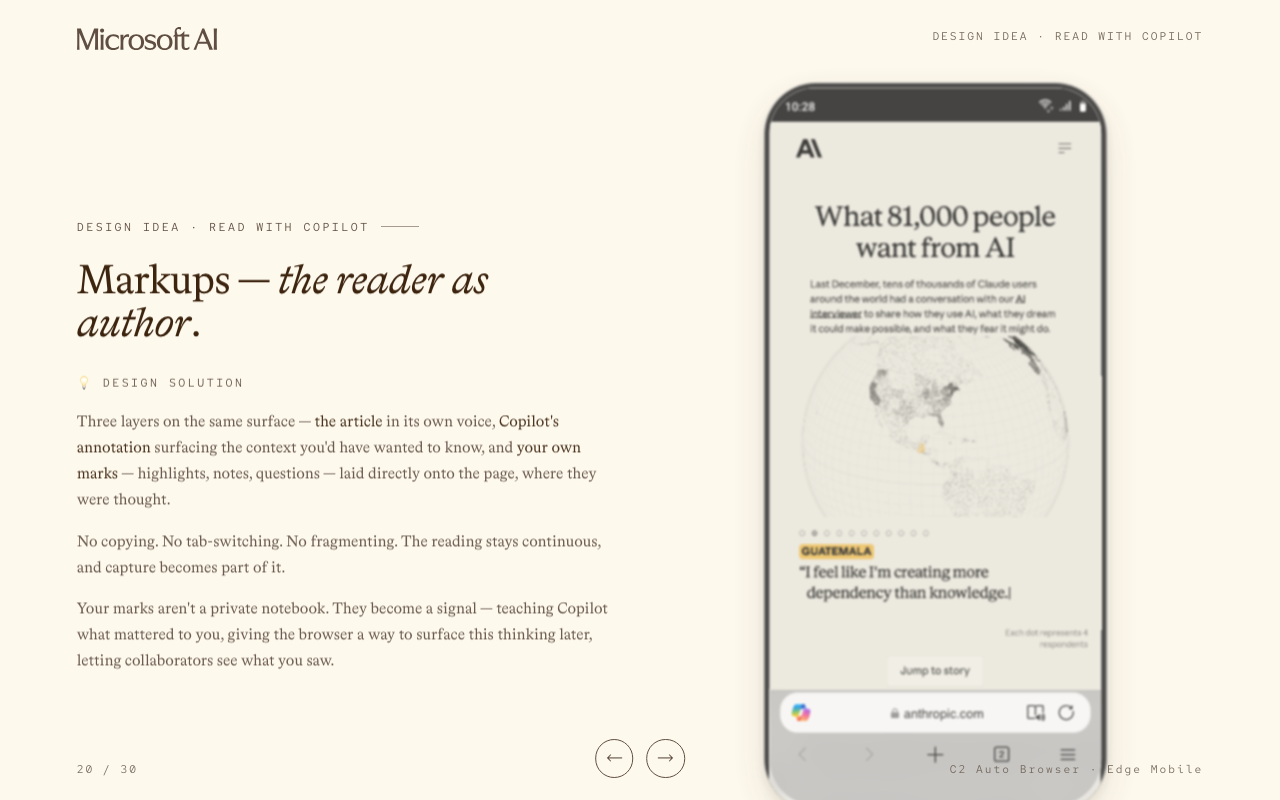
Browse with Copilot — Markups prototype
Read with Copilot · Markups
Embedded prototype — tap through the future during the meeting.
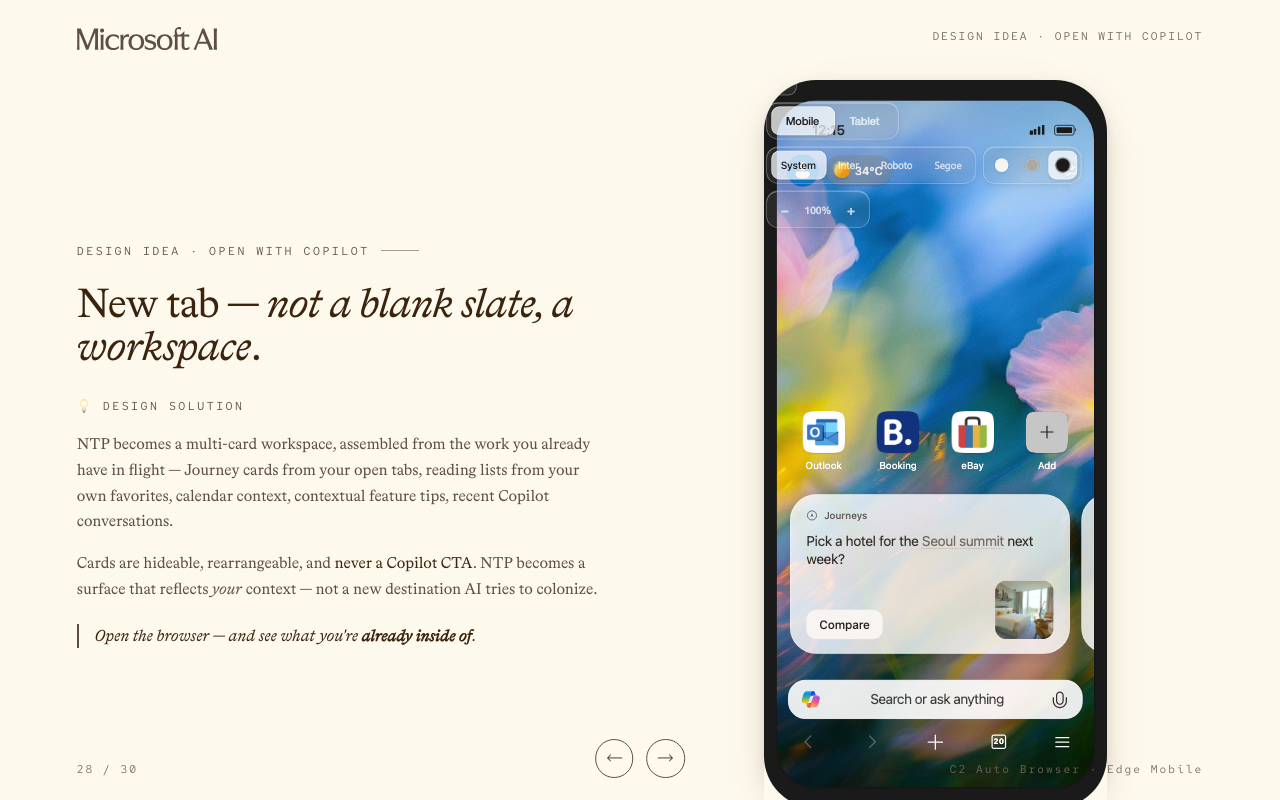
Browse with Copilot — NTP workspace prototype
Open with Copilot · NTP
New tab as workspace — live demo embedded in the slide.

Yan Yan & Lu Han · Browse with Copilot deck · 30 slides, fully interactive prototypes, delivered in days not weeks.

One PM started it.
A designer extended it.
Three more PMs shaped its direction.
A design team used it to reimagine the product.

No one needed to compile anything.

§ 4
04

Where This Is Going

The operation is underway. Where does it go from here?

§ 4 · Three Pillars

What's next for emOS.

Pillar 1
Fidelity
Make emOS a complete, always-current replica of the production experience. Close enough that incremental updates keep it in sync — so any feature can be tested in full product context, not in isolation.
Pillar 2
Accessibility
Make the platform truly open to anyone. The right scaffolding — Figma integration, templates, guided workflows — so any PM or designer with an average coding agent can explore, tinker, and contribute their ideas.
Pillar 3
Evaluation
Build the framework to assess product concepts rigorously through emOS. Automated scenario testing, user flow validation, interaction comparison — the prototype becomes not just a demo but a judgment tool.

The Eclipse

The shadow was real.
But in total eclipse —
you can see the corona.

The gap between web and native felt like it would only grow. But the crisis itself revealed what was invisible before — a way to harness the web, not compete with it. To turn the constraint into a platform.

If your team is stuck behind a long build cycle — that's not a weakness. That's your eclipse. The constraint that forces you to find a new way to see.

"One must imagine Icarus happy."

After Camus

Imagine he flies toward the sun. The wax melts. He falls. But what if he gets back up and flies again — not out of hubris, but out of conviction? What if each fall teaches him something about the sun he couldn't have learned from the ground?

We kept trying — building prototypes that might never ship, rethinking our tools from scratch, knowing that what we build today might be thrown away tomorrow. And that's okay. The process is the meaning.

"Show me the demo."

Now we can.

01 / 25
emOS · Project Eclipse